YouTube
Permission Systems that Scale

4 hours, 44 minutes
CC

Course Description
Build a production-ready permission system from the ground up! Centralize authorization logic with a service-based architecture as you explore Role-Based Access Control. Migrate to a more scalable Attribute-Based Access Control system with fine-grained permissions around application resources. Evaluate permission libraries like CASL and gain the skills to architect secure, scalable applications.
This course and others like it are available as part of our Frontend Masters video subscription.
Prerequisite: TypeScript experience is highly recommended. Basic knowledge of React & Next.js is helpful, but not required.
Preview
Course Details
Published: March 6, 2026
Rating
Learning Paths
Learn Straight from the Experts Who Shape the Modern Web
Your Path to Senior Developer and Beyond
- 250+ In-depth courses
- 24 Learning Paths
- Industry Leading Experts
- Live Interactive Workshops
Table of Contents
Introduction
Section Duration: 18 minutes
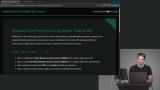 Kyle introduces building scalable permission systems, progressing from naive checks to role-based and attribute-based access control. He clarifies authentication versus authorization and emphasizes making authorization easy to update across the entire codebase.
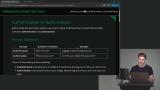 Kyle explains potential problems caused by poor authorization, such as over-permission, inconsistent access, and frustrated users. Kyle also outlines the core goals of a strong permission system, including preventing unauthorized access, enforcing permissions automatically, staying consistent, and failing closed by default.
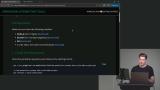 Kyle introduces the project setup and walks through installing dependencies, configuring the database, and getting the app running locally, then gives a quick overview of the codebase structure and the basic but buggy permissions system that the course will focus on fixing.
Fixing Basic Permissions
Section Duration: 43 minutes
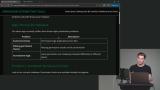 Kyle explains the common pitfalls of scattered, inconsistent permission checks throughout a codebase, then walks through fixing vulnerable pages in the app that allowed users to access projects and documents they shouldn't have permission to view.
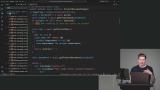 Kyle instructs students to spend time fixing the remaining permission bugs in the codebase themselves before walking through each fix, addressing scattered copy-pasted permission checks across pages and UI components, then wraps up by highlighting how the exercise exposes the core flaw of the naive system: duplicated, error-prone logic that needs to be centralized.
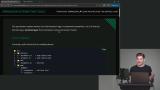 Kyle introduces the concept of a services layer to centralize all permission logic, then walks through refactoring the app's document actions and data access layer so that authorization, validation, and database calls all live in one place rather than scattered throughout the codebase.
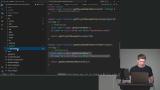 Kyle introduces the concept of creating, updating, and deleting project services, explaining the need for permission checks and demonstrating how to implement them in the actions. He walks through the process of moving permission checks from the pages to the service layer, ensuring centralized authorization handling. Kyle discusses the benefits of the service layer, emphasizing improved single responsibility, enhanced security, and simplified testing due to centralized authorization logic.
Role-Based Access Control
Section Duration: 44 minutes
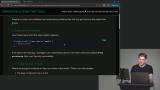 Kyle introduces the concept of role-based access control, explaining how each user is assigned roles with specific permissions. He discusses the benefits of centralizing permission logic and demonstrates how to implement a simple role-based access control system using TypeScript. Kyle then instructs the students to create a new file for handling permissions, guiding them through defining different permissions for projects and documents within the system.
 Kyle builds out a role-based permissions map in TypeScript, assigning specific permissions to each user role, then creates a simple "can" function to look up whether a user has a given permission, and refines the project read permission into more granular options to handle department-based access rules.
 Kyle instructs students to update all permission checks in the codebase to use the new "can" function, then walks through replacing the old role-based checks across the services layer and creating a helper function to handle the more complex department-based project read permissions.
 Kyle replaces all remaining permission checks across the UI and services with the centralized "can" function, then demonstrates how the system now allows a single change in the role-based access control file to instantly propagate permission updates across the entire application.
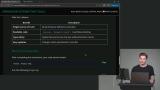 Kyle introduces the concept of a single source of truth for permissions, emphasizing readability and type safety in the code. He then discusses the limitations of role-based access control when adding more granular permissions, highlighting the need for a more advanced system. Kyle explains a permission matrix detailing who can view, edit, create, and delete documents based on various criteria, illustrating the challenges of handling complex permissions within a role-based access control framework.
 Kyle adds more granular document permissions to the role-based access control system, creates helper functions to handle the increased complexity, then demonstrates how even a small application quickly reveals the limits of RBAC when permissions depend on document attributes like ownership, lock status, and draft state.
Attribute-Based Access Control (ABAC)
Section Duration: 1 hour, 47 minutes
 Kyle walks through the limitations of role-based access control and introduces attribute-based access control (ABAC) as the solution, explaining how ABAC evaluates permissions by combining the subject, resource, action, and environment through a policy engine rather than relying solely on a user's role.
 Kyle begins building the attribute-based access control system from scratch, defining the core TypeScript types needed for the permission builder, including resource types, conditions, and a permission store that will form the foundation of the new ABAC implementation.
 resources, actions, and optional conditions for each permission added to the builder. He instructs students on how to define permissions for different roles within the application, starting with admin permissions where all actions are allowed for both documents and projects. Kyle then proceeds to define editor permissions, explaining the restrictions and conditions for reading and updating projects and documents based on the user's department. He demonstrates how to set up permissions based on specific project access for editors, ensuring they only have access to projects within their department.
 Kyle introduces the concept of building a function that can handle permissions, explaining the process step by step. He discusses the importance of correctly implementing the can function within the build function to check for access permissions. Kyle demonstrates how to handle optional data conditions within the permissions, ensuring that the function accurately determines if a user has the required access rights.
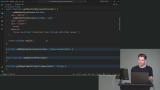 Kyle instructs students to implement the remaining author and viewer permissions, then walks through updating all the services to use the new ABAC permission checks, replacing the old helper functions with cleaner "permissions.can" calls that automatically handle user context and resource-level conditions.
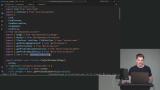 Kyle updates all remaining UI pages and components to use the new ABAC permission checks, fixes a few missed references to the old helper functions, then wraps up by highlighting the key advantages of the new system including declarative policies, full type safety, and a unified "can" function with no helper functions needed.
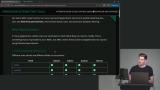 Kyle updates all remaining UI pages and components to use the new ABAC permission checks, fixes a few missed references to the old helper functions, then wraps up by highlighting the key advantages of the new system including declarative policies, full type safety, and a unified "can" function with no helper functions needed.
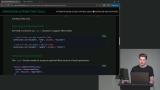 Kyle implements field-level permissions into the ABAC system, extending the TypeScript types and "can" function to optionally restrict which document fields a user can access, then demonstrates it by hiding the "created at" and "updated at" fields from viewer-role users.
 Kyle builds out the write side of field-level permissions by creating a "pickPermittedFields" function that filters submitted form data down to only the fields a user is allowed to modify, then defines specific field restrictions for authors and editors in the permission configuration.
 Kyle applies the "pickPermittedFields" function to the create and update document services to strip out unauthorized fields before saving to the database, then updates the UI form to conditionally hide fields the user can't modify, demonstrating the full write-side field permission flow end to end.
 Kyle builds a "toDrizzleWhere" function that automatically converts ABAC permission conditions into database query syntax, eliminating the duplicate permission logic that previously existed between the permission system and the database layer, and demonstrates how changing a permission now instantly updates both access control and database filtering.
 Kyle introduces the concept of attribute-based access control and explains its benefits, such as fine-grained permissions and environment-aware restrictions. He also discusses the drawbacks, including the complexity of TypeScript code and the challenges of implementing more advanced features like complex conditions. Kyle concludes by highlighting that while attribute-based access control offers advanced capabilities, it may be overkill for smaller projects compared to basic role-based access control.
Permission Libraries
Section Duration: 55 minutes
 Kyle weighs building a custom permission system against using third-party ABAC libraries, contrasting in-code libraries like CASL with DSL-based alternatives like Caspian, and demonstrates how CASL can serve as a near drop-in replacement for a custom system.
 Kyle introduces the CASL authorization library, covering installation and refactoring existing permissions to follow CASL's subject-then-action convention. He then demonstrates defining AppAbility types in TypeScript and using AbilityBuilder to configure abilities and subjects.
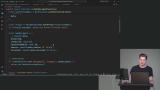 Kyle introduces updating permissions using the CASL library, explaining the need to adjust action order and using the `subject` helper function to handle object types functionally. He discusses CASL's class-based nature as a challenge in React/Next.js environments and demonstrates cloning objects as a workaround for compatibility.
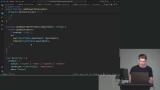 Kyle builds a "pickPermittedFields" helper function using CASL's built-in utilities, then integrates it into the create and update document services to replace the custom implementation, verifying that unauthorized fields like "isLocked" are properly stripped from requests before hitting the database.
 Kyle builds a "toDrizzleWhere" function for the CASL implementation that converts CASL's abstract syntax tree into Drizzle database queries, replacing the last remaining hardcoded permission logic and completing the fully automated pipeline where permission changes instantly propagate to database filtering.
 Kyle compares the custom ABAC implementation to CASL, highlighting CASL's advantages like built-in advanced conditions and less TypeScript overhead, while pointing out its drawbacks including heavy reliance on classes that causes React server component compatibility issues and reduced type safety compared to the hand-rolled system.
Wrapping Up
Section Duration: 15 minutes
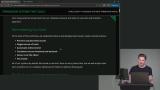 Kyle wraps up the course by comparing all the permission systems covered throughout the workshop against the original six goals, summarizing the pros and cons of RBAC, basic ABAC, advanced ABAC, and CASL, then closes with a Q&A covering topics like microservice policies, storing permissions in a database, and how the service layer applies to pure backend API projects.
Learn Straight from the Experts Who Shape the Modern Web
- 250+In-depth Courses
- Industry Leading Experts
- 24Learning Paths
- Live Interactive Workshops